
Assignment of Benefit
In July 2026 there are new Medicare requirements whereby practices must record that patients have assigned their right to benefit for Bulk Bill and IMC (ECLIPSE) claims.
There are two main types of assignment of benefit, pre-assignment and post-assignment, with the former occurring before services are rendered while the latter is afterwards.
Note that the new printouts won’t take effect until July 1st (prior to that they will remain the old version).
Bulk Billing Post-Assignment
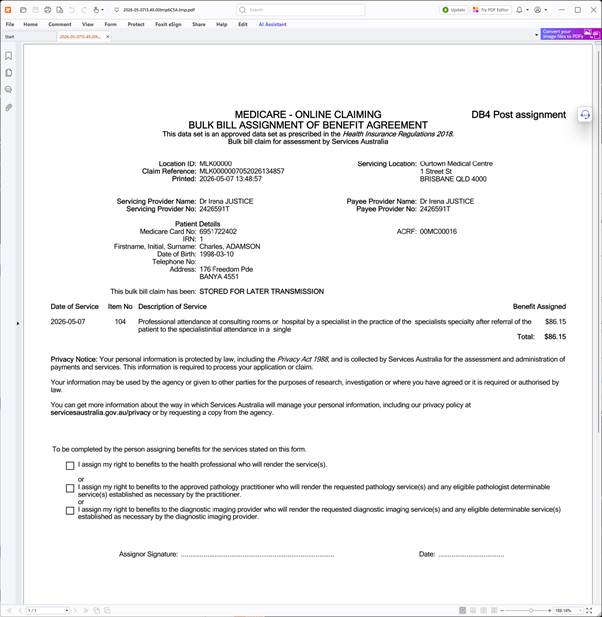
Bulk billing should be done as normal. At the end it will print out a DB4 post assignment.
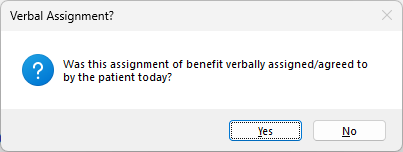
You will then prompted with a question regarding whether the patient has verbally agreed to assign their benefit:
Yes: verbal assignment of benefit is recorded.
No: printed assignment of benefit is recorded. The patient should tick/sign and return form and you should scan it.
IMC (ECLIPSE) Assignment of Benefit
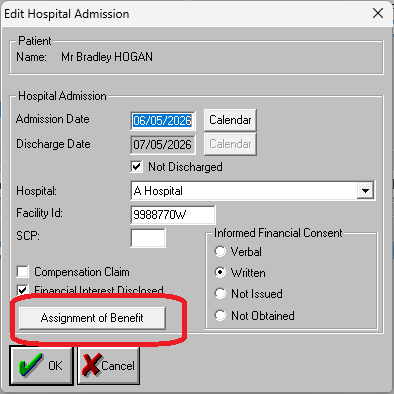
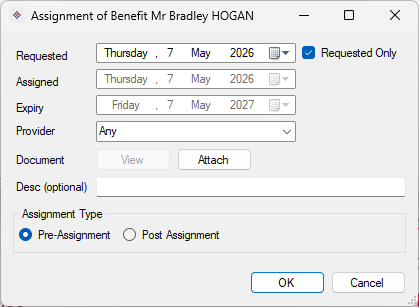
When in the ECLIPSE Admission screen you can click the Assignment of Benefit button to bring up the patient’s list of assignments, and from there generate pre-assignment of benefit at this stage.
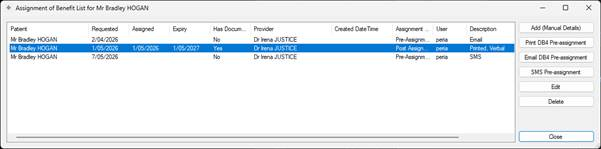
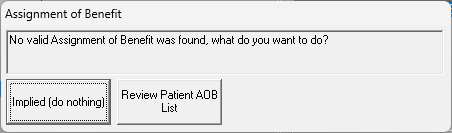
If you do not record pre-assignment and move on to billing, you will be greeted with the below pop-up, where you can record that there was implied assignment of benefit during the financial consent stage (which is perfectly acceptable), or bring up the aforementioned list to print a pre-assignment of benefit etc.
Pre-Assignment & Other Functions
Assignment of benefit functions can be found in these menu areas:
Accounting (Patient) Screen -> Search for Patient -> Reception Menu or Online Menu -> Assignment of Benefit
OR
Appointment Bool -> Highlight Appointment -> Appointment Menu -> Assignment of Benefit
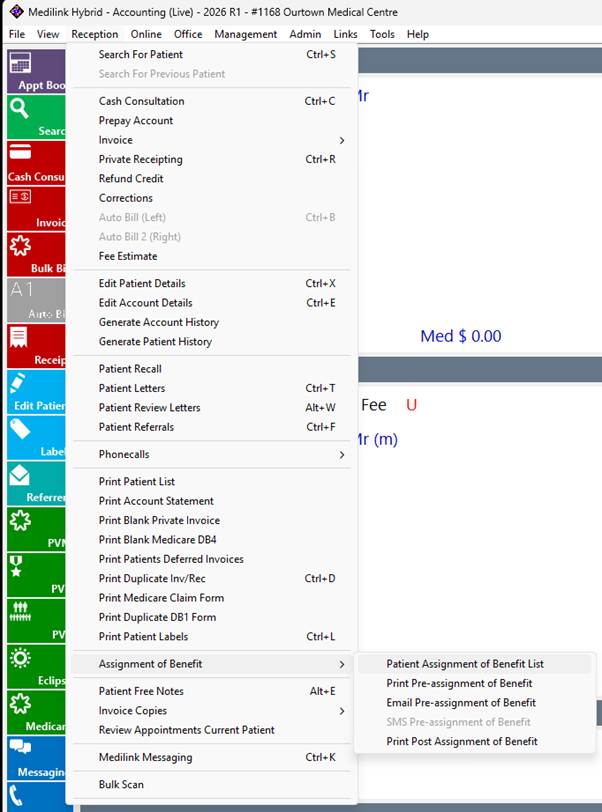
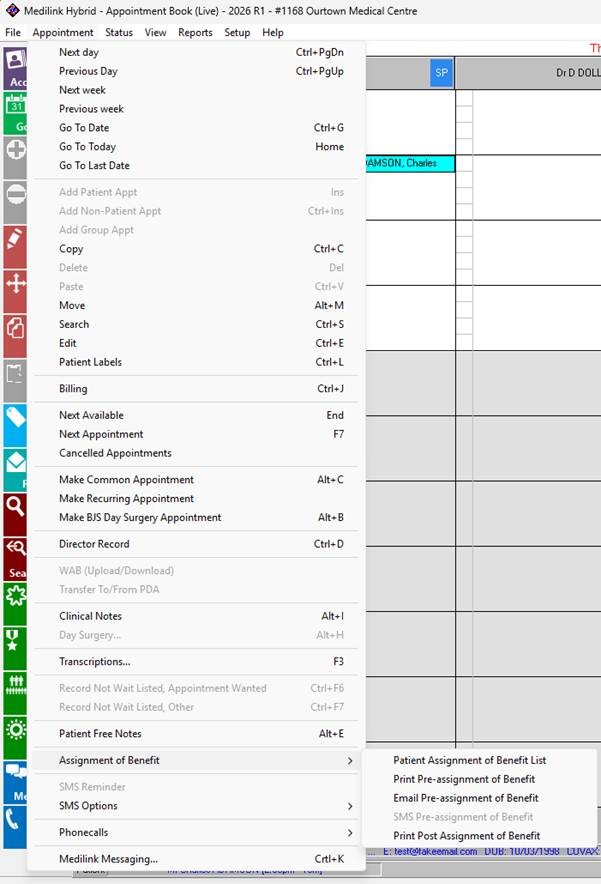
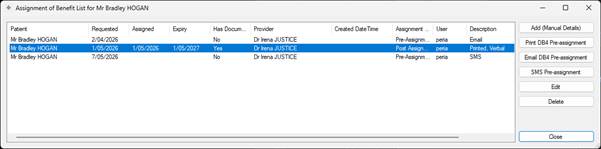
Patient Assignment of Benefit List
This shows a list of all assignments of benefit for a patient, effectively the audit of the system. This also allows you to generate pre-assignment of benefit (print/email etc).
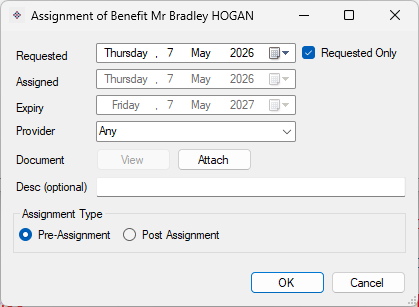
Print/Email/SMS Pre-Assignment of Benefit
These will prompt you to enter item numbers and printout a PDF which will be printed or emailed to the patient.
Note: SMS functionality is still under review (we can’t include all the information required in a single SMS).
Print Post-Assignment of Benefit
Patient has already had the service, and you want to re-print the assignment of benefit. Note that this will/should have already printed at the time of raising the billing so is more there to reproduce a lost printout etc.