Below are updated instructions (April 2026) on how to download your RemoteApp file. See screenshots further below (scroll).
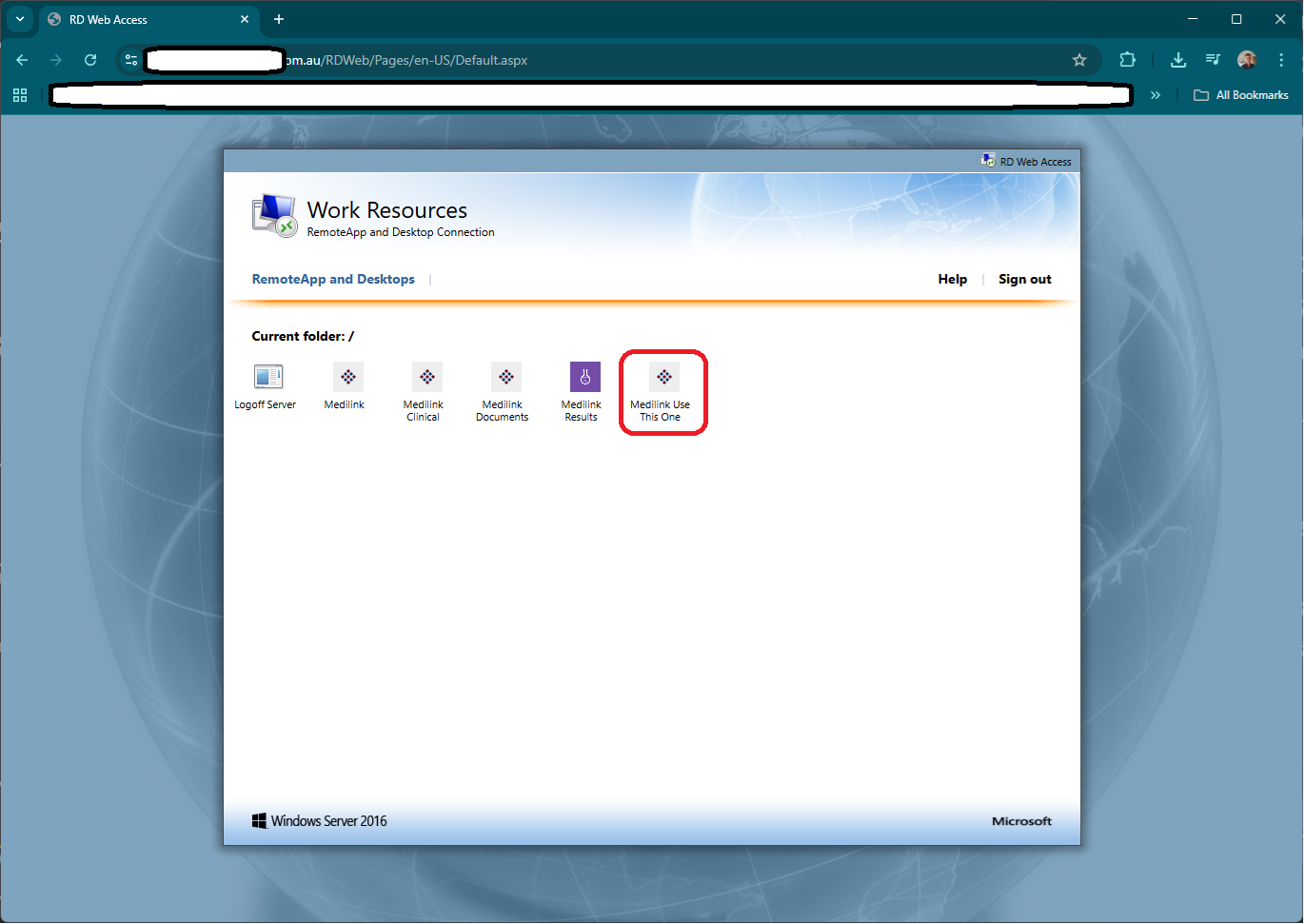
1. You will be provided a link to a RDWeb page* it will look something like this:
https://xxxxxx.medilink.com.au/RDWeb
2. Sign in using the credentials provided. Your username should have MEDILINK\ in front or @MEDILINK at the end (username not case sensitive, but password is).
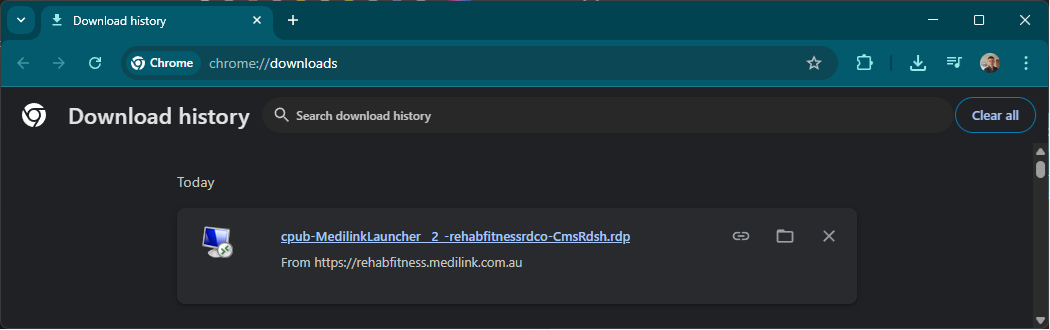
3. Click "Medilnk Use This One"*. This will download a file with a long name starting with cpub-MedilinkLauncher_xxx
(*Note: we can't remove the other ones yet hence the "use this one", but eventually will clean them all up.)
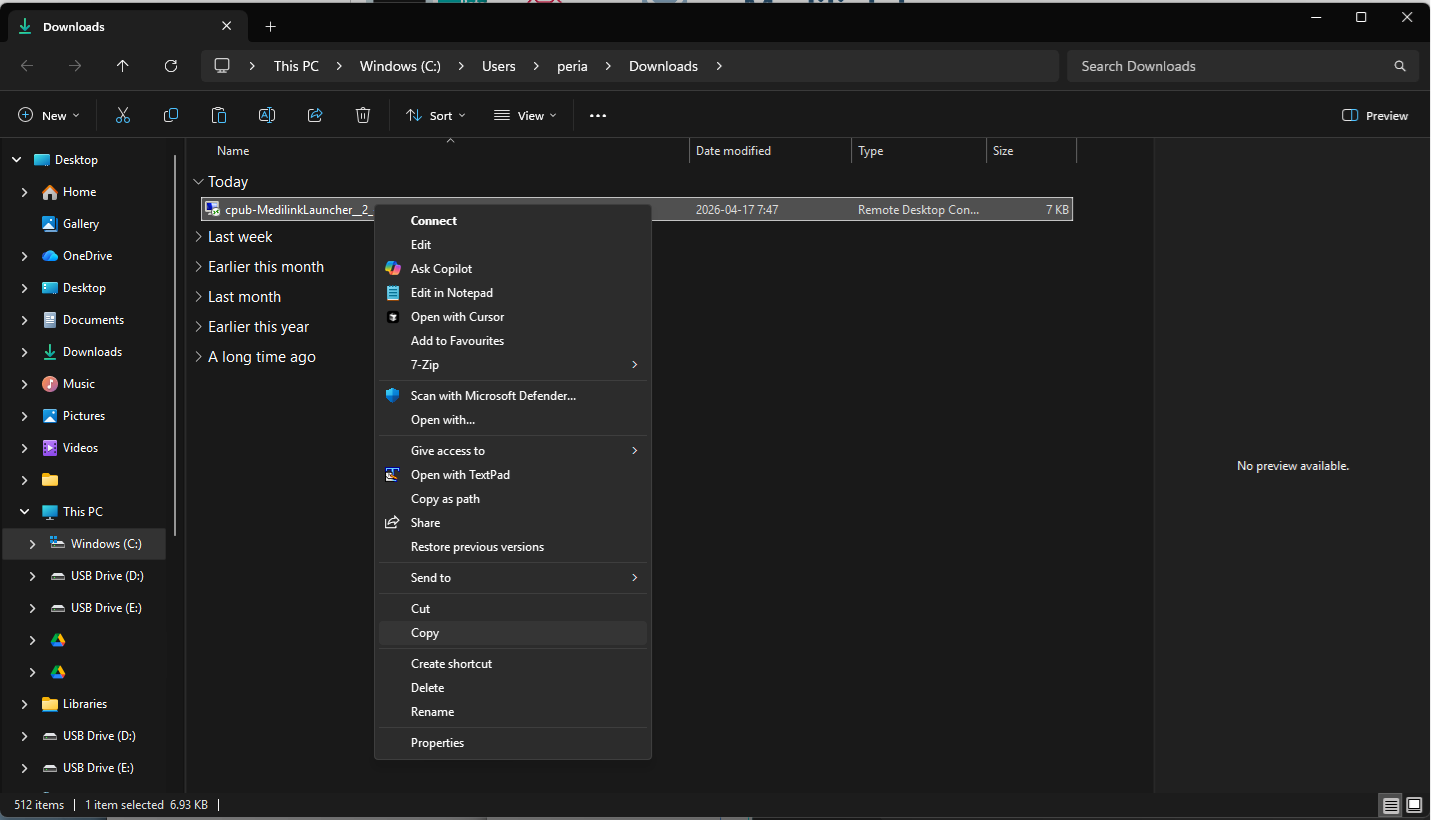
4. Go to Downloads (CTRL+J / Folder icon), find the cpub-MedilinkLauncher_xxx file and right click and Copy it, then Paste it on your desktop. Right click and Rename the file something more appropriate like Medilink RemoteApp.
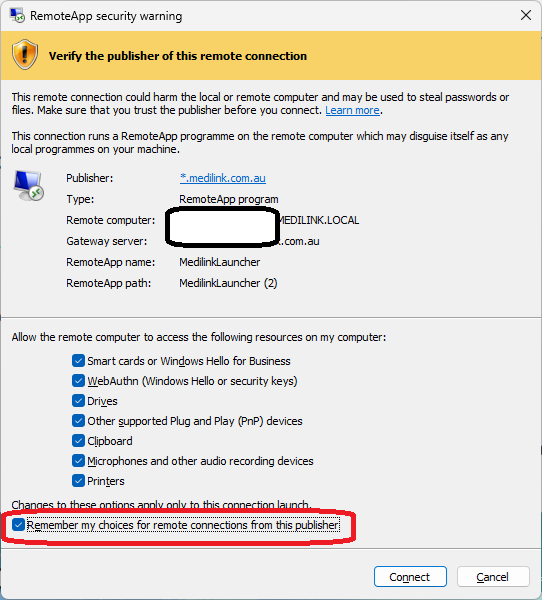
5. When you run it, it will be a yellow colour instead of the orangey one, and you'll have an option to "Remember my choices for remote connections from this publisher", i.e. it shouldn't bug you to tick all the options every time.
*(Note this is not the webclient version, but that can also be provided. The webclient page allows you to run the app in the browser directly so is handy, but you lose some functionality like file/printer sharing.)