
Here are the instructions to manually searching and assigning the IHI for a patient if it is not showing up automatically.
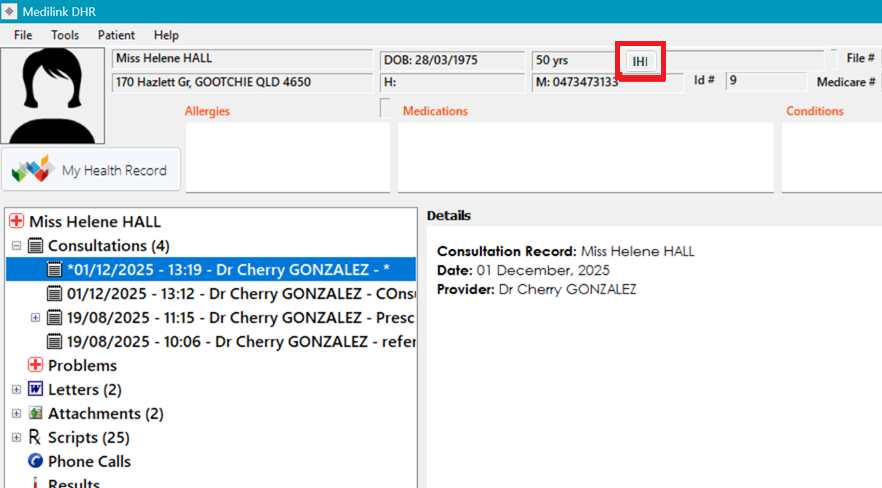
1. Open patient in DHR (Clinical) and click the IHI button at the top of the screen.
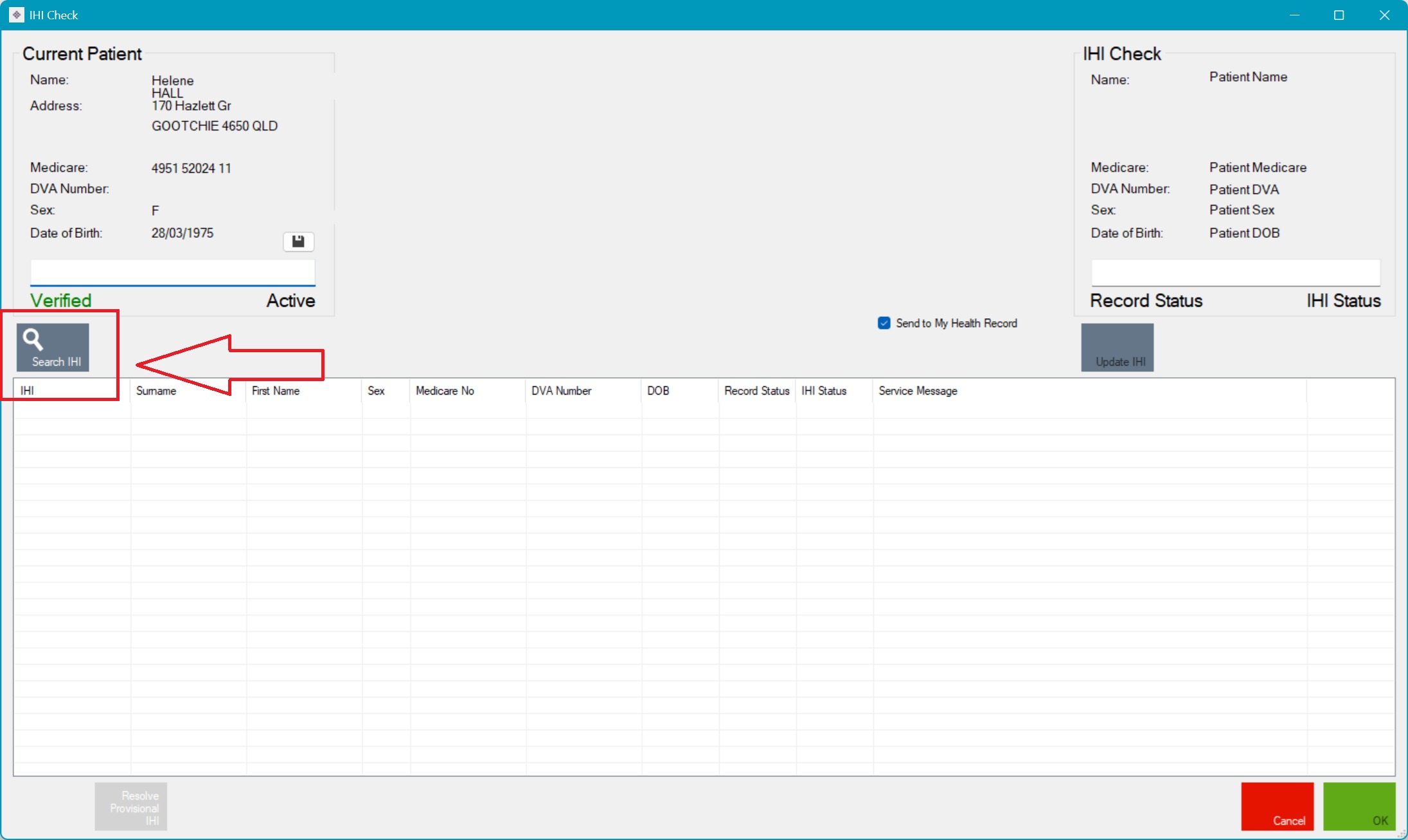
2. This will open the IHI search, click 'Search IHI'
3. This will bring up a list of results below, click one and make sure the patient looks correct then click 'Update IHI' to save. 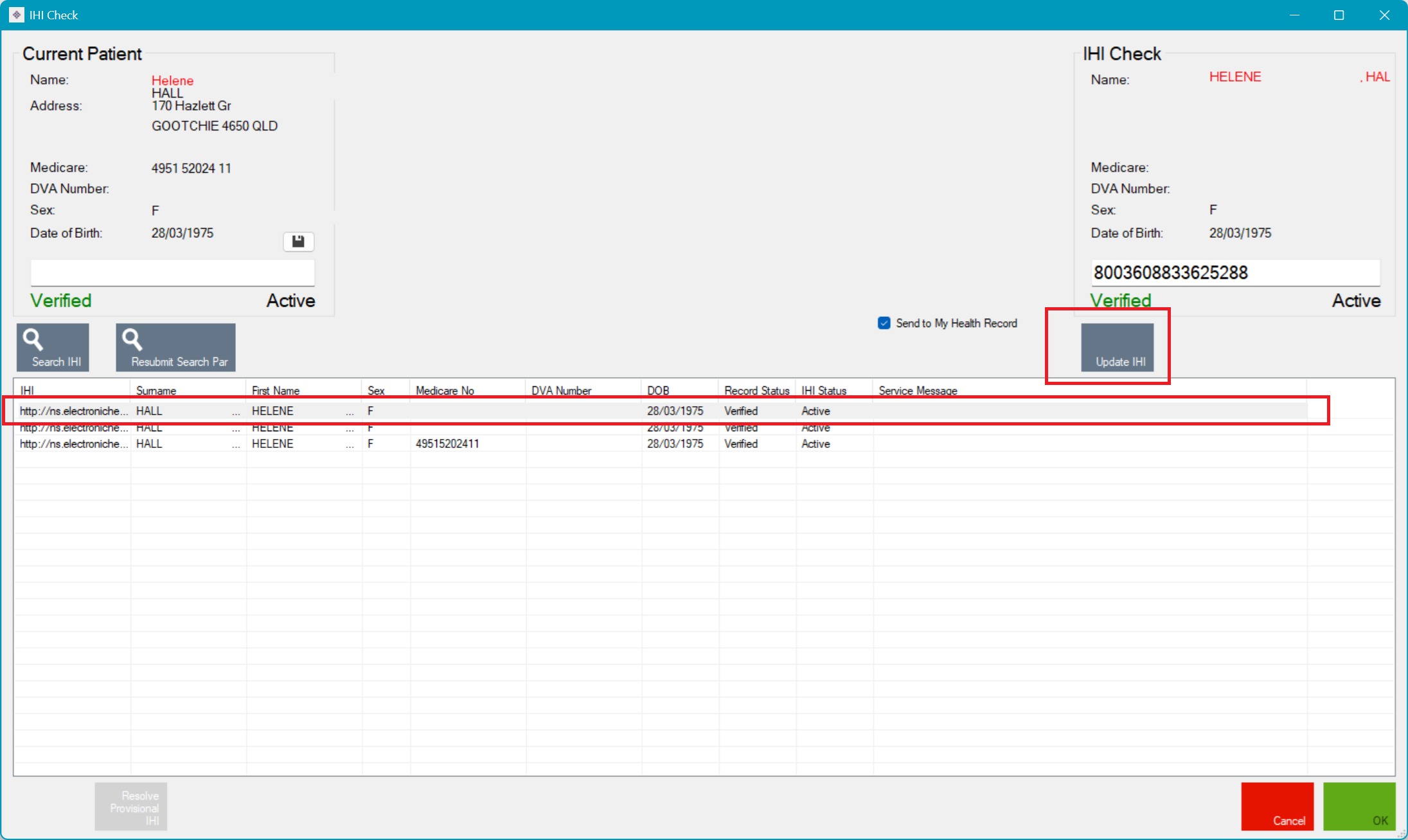
4. Click Ok to save.